
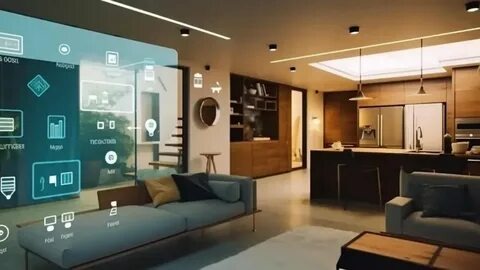
You don’t need a mansion or a huge budget to live smarter. Start with one everyday hassle, then build as you go. Because when tech fits your routine, life gets calmer, safer, and a little more fun. This guide shows quick, practical wins you can set up today, plus smart ways to expand later without wasting money. We’ll highlight gear that works, share simple steps, and flag when expert home automation services are worth it. Ready to make lights, locks, and comfort run themselves? Let’s start small and make it stick.
Start Home Automation With One Room And Routine
Pick a single problem to solve first. Because focus prevents overwhelm and waste. Choose one room—often the entryway, bedroom, or living room—and one routine you repeat daily. For example, lights when you arrive, a wind-down scene at night, or a “movie mode” that dims lamps and turns on the TV. Start here, then expand.
Also, set a small budget ceiling (say, $50–$150). This keeps expectations grounded and lets you test gear. Meanwhile, track what feels useful versus “nice to have.” If it’s not reducing friction, skip it. Instead of buying a bundle, buy the one device that solves your top annoyance today.
Choose A Smart Home Hub That Fits Your Life
A “hub” is the brain that connects devices to work together. Many people use a smart speaker/display (Alexa, Google, or Apple Home), while others choose dedicated hubs (Aeotec, Hubitat) for advanced rules. If you own an iPhone, HomeKit may feel natural; if you love voice control, Alexa might be easiest.
However, don’t overthink it. Choose the ecosystem you already use on your phone because fewer apps equals fewer headaches. Also check compatibility labels like “Works with Alexa/Google/Apple.” If possible, favor Matter-compatible devices; they’re designed to work across ecosystems long term. You can always swap hubs later, but starting simple helps.
Pick Home Automation Devices With Big First Wins
Go for high-impact, budget-friendly gear:
- Smart plugs to automate lamps or small appliances.
- Smart bulbs for scenes and schedules without rewiring.
- Video doorbell for safety and packages.
- Smart lock for keyless entry and guest codes.
- Motion sensors to trigger lights hands-free.
Because these devices tackle common routines, you’ll feel value fast. Meanwhile, skip “just because” gadgets. If you rarely use a coffee maker timer, don’t automate it. Instead, improve the tasks you repeat daily—bedside lamps, porch lights, or the front door. You’ll save more and learn what to add next. If you later want professional home automation services, you’ll already know your must-haves.
Create Smart Home Scenes That Save Real Time
Scenes are actions tied to a single tap, voice command, or event. For example: “Goodnight” can lock the door, turn off lights, and lower the thermostat. Because scenes reduce steps, they’re where home automation starts to feel like magic.
Quick Smart Home Automation Setup Checklist
- Name 2–3 scenes: Arrive Home, Goodnight, Movie Time.
- Assign triggers: schedule, motion, or voice.
- Add only devices you use nightly/daily.
- Test once per day for a week; tweak timing.
- Set a “manual override” (a real switch) so anyone can use it.
Also, keep names short for voice control. “Hall Light” is clearer than “Entry Corridor Pendant.” Therefore, your family won’t fight the tech—they’ll use it.
Keep Your Smart Home Wi-Fi Fast Simple And Safe
Automation devices talk over Wi-Fi, Thread, Zigbee, or Z-Wave. You don’t need to memorize protocols. In plain terms, good Wi-Fi and a solid router prevent glitches. If your home is large, consider a mesh system. Meanwhile, place your router centrally and away from metal or aquariums (yes, really).
For safety, use strong passwords and enable automatic updates. Also, put smart devices on a “guest” network if your router allows it; this separates them from laptops. Because security matters, change default passwords on cameras and locks. Even so, if networking stresses you out, a local provider offering home automation services can harden and optimize your setup.
Use Smart Home Voice, Schedules, And Sensors
Automation works best when it feels invisible. Therefore, mix three rule types:
- Voice for irregular tasks: “Alexa, turn on patio.”
- Schedules for consistent patterns: porch lights at sunset.
- Sensors for context: motion turns on a hall light after 10 p.m., then off after five minutes.
Because sensors respond to you, they save energy and effort. Also, consider using presence detection (your phone joining Wi-Fi) to trigger “Arrive” scenes.
Stretch Your Smart Home Budget Without Losing Quality
If you’re stuck choosing between DIY and pro help, this mini table can guide you:
| Path | Upfront Cost | Time & Complexity | Ongoing Support |
| DIY setup | Low–Medium | You handle wiring, apps, updates | Community forums, self-help |
| Pro install | Medium–High | Faster, cleaner wiring and configs | Local service, warranties |
Because time is money, hiring local home automation services can be cheaper in the long run if you’re wiring locks, cameras, or lighting at scale. DIY is great for smart plugs, bulbs, and basic scenes.
Plan Home Automation Security, Reliability, And Growth
Keep a physical key and at least one non-smart way to control essential lights. Because power and internet issues happen, plan backups: battery doorbells, local storage for cameras, and automations that run locally on a hub.
Document your setup in a notes app—device names, passwords (stored securely), and scene logic. Therefore, you won’t start over if you replace your phone or router. Consider local home automation services for clean wiring, unified control, and support when your needs grow. If you’re near Hudson, FL, we offer licensed, insured solutions—cameras, sensors, locks, access control, lighting, and remote monitoring—tailored to your home.
Smart Home Automation On Your Budget And Terms
Start with one routine, then add devices that genuinely help. Because clarity beats clutter, you’ll immediately feel the difference—simpler evenings, safer entries, and lights that know what to do. Also, keep your network healthy and your rules simple; reliability is the absolute luxury.
If you want a steady partner as you grow, Time On Target Pro Security can help with setup, training, and support for home and commercial systems. Their team provides approachable home automationservices that fit your budget and timeline so that you can enjoy a smarter home without the stress.