
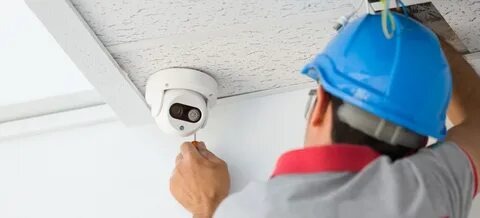
Smart cameras aren’t just gadgets anymore—they’re quiet neighbors that never sleep. They help you spot porch pirates, check on kids getting home, and see what went bump at 2 a.m. Because they’re easier to use and more reliable, more streets feel watched—in a good way. If you’re exploring home security camera services, this guide shows what helps, what to avoid, and how to make cameras useful for your home, rental, or whole block.
How Smart Home Cameras Protect Your Home Today
Modern systems don’t just record; they help you respond. You can view live video from your phone, get motion alerts, and manage settings remotely—so you’re in the loop even when you’re away. Meanwhile, night vision, motion detection, and around-the-clock coverage provide helpful footage day and night. If you prefer a simple setup, you can still get professional installation plus app access that feels like checking a message. These capabilities come standard with many home security camera services, including mobile app setup, motion configuration, and remote monitoring.
Smart Camera Placement Tips That Stop Blind Spots
You’ll get better results from a well-placed midrange camera than a high-end one in the wrong spot. Aim to see faces, not just heads or hats. Therefore, place doorbell or entry cameras at 48–54 inches high, angled slightly to reduce glare. Also, cover key paths: front door, driveway, back gate, and first-floor windows. Avoid pointing directly into neighbors’ windows; respect goes a long way. Because weather happens, keep lenses sheltered under eaves to cut down on rain spots and sun flare. Finally, label your camera feeds clearly in the app so anyone at home can find “Driveway” quickly.
Smart Home Camera Features Explained In Plain Terms
You’ll hear two terms: DVR/NVR and IP cameras. DVR (Digital Video Recorder) and NVR (Network Video Recorder) are boxes that store video; IP cameras are networked cameras that send video over your home network. In practice, pros often pair IP cameras with NVRs for clean storage and easy retrieval. You’ll use storage efficiently because motion detection can trigger clips instead of endless recording. And if you want 24/7 coverage, continuous recording can be configured without hassle. Many home security camera services include setup for DVR/NVR systems, IP cameras, motion zones, and night vision—so you don’t have to tinker.
Smart Security Camera Privacy And Courtesy Checklist
Cameras help most when they’re respectful. Use this quick five-minute check today:
- Turn on privacy zones to block neighbors’ windows or yards.
- Set motion areas so alerts focus on your property, not the street.
- Limit shared access to people you trust; remove access when roommates move out.
- Save clips with timestamps to avoid confusion later.
- Post a small security notice near entries; it deters problems without drama.
Clear boundaries build trust, so tell close neighbors where your cameras point and why. This simple conversation prevents misunderstandings before they start.
Daily Smart Camera Habits That Strengthen Security
Sound systems still need care. However, the routine is simple:
- Weekly: Wipe lenses with a microfiber cloth; dust hurts night vision.
- Monthly: Review your motion settings; seasons change shadows and traffic.
- After storms: Check mounts and brackets; wind can nudge angles off.
- Quarterly: Confirm app logins for family, renters, or staff; remove old users.
- As needed: Update firmware via the app; you’ll improve reliability and security.
Because these take minutes, set calendar nudges. Over time, these habits reduce false alerts and keep video crisp—so your home security camera services stay helpful instead of noisy.
Choosing Wired Or Wireless Smart Camera Systems
A quick side-by-side helps when you’re choosing:
| Option | Best for | Storage | Remote access |
| IP cameras + NVR | Whole-home coverage | On NVR | App/live view |
| DVR + analog cams | Budget refresh | On DVR | App/live view (via recorder) |
| App-connected IP cams | Renters/smaller spaces | Cloud or local | App/live view |
Pros can also integrate access control (think smart gates/doors) with cameras, so one tap unlocks a door and shows who’s there. Because integration removes guesswork, it’s popular for small offices and busy households. Professional installers commonly handle camera setup, recorder configuration, and access control integration under one roof.
How Smart Cameras Help Create Safer Neighborhoods
Neighborhood safety improves when cameras lead to action—not just clips. Start with a simple plan: agree with two or three neighbors to share key camera angles (fronts of houses facing the street), swap non-emergency contact info, and respond to alerts during daytime windows. However, avoid sharing live access widely; keep circles small and accountable. When incidents happen, provide time-stamped clips to the right channel (property manager, HOA, or law enforcement). Because consistency matters, set expectations: “We’ll check cameras after any alert between 7 a.m. and 10 p.m., then share clips if needed.”
When To Hire Local Security Camera Installers
DIY works for some, but professionals save time and reduce blind spots—especially when you want clean wiring, correct angles, or multi-camera coverage. Time On Target Pro Security handles the whole process: site assessment, indoor/outdoor camera installation, recorder setup (DVR/NVR), IP camera configuration, motion detection tuning, and mobile app access. They also train you on using the system, offer ongoing support, and can integrate access control for a complete solution. Because help is available 24/7, issues get resolved quickly, your system stays reliable for homes and small businesses. These offerings align with their home security camera services in Hudson and nearby areas.
Smart Camera Safety Takeaways You Can Use Today
Smart cameras are changing neighborhood safety by turning video into quick decisions—from checking visitors to sharing a helpful clip with neighbors. Start with good placement, respectful settings, and a simple routine; then, scale to the block with small, clear agreements. If you’d like a friendly hand setting up or upgrading, Time On Target Pro Security can install, configure, integrate, and support a system that fits your home or commercial space without the headaches. When you’re ready to make cameras truly useful, not just visible, lean on professional home security camera services that work the way you live.