
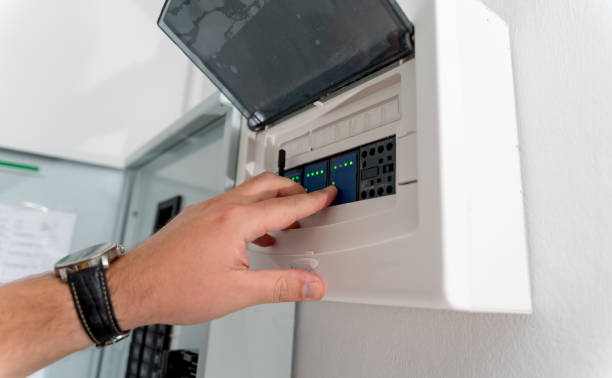
Most homes waste power in small ways. Lights stay on. The AC runs too long. Devices sip power all day. The good news is you can fix many of these leaks with home automation & network installation in Land O’ Lakes FL. You just need a plan that fits your routine. However, real savings come from steady habits, not one big change. Therefore, this blog breaks it down into simple steps. You’ll see what helps most, what to skip, and how to make it all feel easy.
Home Automation And Network Setup To Reduce Energy Waste
Smart home automation can reduce waste because it reacts faster than people do. As a result, your home stops running things “just in case.” You set clear rules, and the system follows them. However, the biggest wins often come from timing. For example, you can lower power use when you leave for school runs or work.
Energy efficiency also improves when you avoid overcooling and over lighting. Therefore, you spend less without feeling like you “gave up comfort.” In fact, small changes like tighter schedules and better triggers add up over time.
Set Smart Home Comfort Levels Without Overspending
A home automation system works best when it matches your real life. So, start with your most common days. Think mornings, afternoons, and bedtime. Next, place your settings on a simple schedule using home automation & network installation in Land O’ Lakes FL, so the changes happen on time. As a result, you won’t forget.
Try these starter rules:
- Set a sleep mode that reduces power use at night
- Set an away mode that turns off non-essentials
- Set a home mode that brings comfort back fast
Then add a smart thermostat setting for weekends, because routines shift.
Smart Home Network Reliability For Every Device
If your system lags, you may stop using it. That’s why a solid setup matters. A pro can plan coverage, reduce dead zones, and keep your controls steady. With network installation, devices respond faster and stay connected more often. Therefore, you waste less energy from repeated commands and “always-on” fallbacks.
In fact, strong home connectivity helps your tools work together instead of competing for signal. Also, a clean Wi-Fi network setup makes daily control simple, even when everyone streams and games at once. For help planning the full layout, Time On Target Pro Security can guide a setup that fits your home.
Smart Lighting Habits That Lower Bills Comfortably
People often forget lights. Kids leave rooms bright. Guests do it too. So, build a system that helps without nagging. Start with smart lighting in your most-used spaces. Then set timers that match your routine. Also, use scenes so one tap sets the right level.
Place automated lighting control in high-traffic areas, because those lights get left on the most. As a result, you cut waste with zero effort.
One more thing: plan your “off” rules with care using home automation & network installation in Land O’ Lakes FL, so lights don’t shut off during movie night.
Smart Lighting Choices That Add Up To Savings
| Area | Simple setup | Daily habit | Likely impact |
| Kitchen | Timer + dim option | Auto-off after meals | Fewer hours on |
| Hallway | Motion trigger | Light only when needed | Less waste |
| Porch | Sunset-to-bed schedule | No all-night runs | Lower use |
| Kids’ rooms | Bedtime shutoff | No forgotten lights | Steady savings |
Smart Plugs And Devices That Cut Phantom Power
Many homes have “always-on” loads. Chargers stay plugged in. Game systems wait on standby. Coffee makers glow all day. Those small draws stack up. Add smart plugs to the worst offenders first. As a result, you cut waste without changing your day.
Here are easy places to start:
- TV and game station power strip
- Phone and tablet charging corner
- Small kitchen appliances you rarely use
However, don’t overdo it. Pick a few high-usage spots, test savings, and expand only if it feels helpful.
Cool Your Home Smarter During Florida’s Heat
HVAC automation helps your cooling run only when it should. For example, it can raise the temp a bit when you leave, then cool down before you return. As a result, comfort stays steady. However, set gentle changes, not big swings. Big swings can feel rough. Therefore, aim for small steps like 1–2 degrees at a time. Because the system runs less often, you also reduce wear.
A real-life example: a family forgets to adjust the AC on school mornings. With schedules, the house stays comfy, and the unit stops running on an empty home. Even small changes can trim energy bills over a few months, especially in long, hot seasons.
Smart Home Automation Rules To Manage Devices
Think of home energy management like a checklist your house follows every day. It turns waste into a plan. Therefore, you can focus on life, not switches.
To make it easy, start with rules you can feel right away:
- Set “away” hours for devices you never need while gone
- Set “quiet hours” at night for non-essentials
- Set “weekend mode” that matches later mornings
However, keep rules simple at first. Too many rules can feel annoying. In fact, three strict rules often beat ten weak ones. Because you can test and adjust, the home keeps improving without stress.
When you add more connected devices, pick tools that match your habits. Also, group them by room so you can spot waste fast. If you want rock-solid timing and fewer dropouts, home automation & network installation in Land O’ Lakes FL, can help your system respond the first time.
Smart Security Features That Also Save Energy
A smart security system can do more than alert you. It can trigger “away” mode when you arm it. As a result, lights, cooling, and other loads shift to low use. However, don’t tie every change to one trigger. Mix in schedules too. Therefore, you avoid odd moments like lights turning off during a late movie.
A simple example: you leave for dinner and arm the system. The house lowers its extra power use right away. Because it’s automatic, you don’t have to remember anything.
For help planning these scenes and making them feel natural, Time On Target Pro Security can set up clean rules that fit how your household moves. With remote home monitoring, you can check your home status from anywhere. In fact, that quick glance can stop long “oops” moments, like a garage light left on all night.
Smart Home Controls Everyone In The Family Uses
Some homes fail at saving power because control feels hard. Place buttons in an app where people expect them. Many families like voice-controlled devices because kids can use them too. However, limit what voices can change. Therefore, you keep settings safe while still making control easy. The Internet of Things works best when devices share clear jobs. Because of that, avoid overlap. For example, don’t let two tools fight over the same schedule.
Also, plan strong home networking so commands land fast and scenes run smoothly. When the system feels instant, people trust it more. Finally, choose energy-saving technology that fits your home size and daily rhythm. In fact, the best tools are the ones you’ll keep using.
Smart Home Automation Plan Tailored To Your Home
If you want real savings, you need a setup that feels easy, not fussy. That’s where a pro plan helps. Time On Target Pro Security can design clean scenes, strong connections, and simple controls that match your schedule. However, you stay in charge of what runs and when. Because the rules work quietly in the background, your home can waste less without extra effort. Therefore, you can feel the change in comfort and monthly costs. Reach out today to book a quick consult and build a smarter plan that fits your rooms, your routines, and your budget.
Smart Home Automation Energy Savings FAQs
What’s the easiest first step to save power at home?
Start with a short daily schedule for cooling and lights. Keep changes small. Then track your monthly usage for two billing cycles to see the difference.
Do I need to replace everything to get results?
No. You can begin with a few upgrades in key rooms. Add more only after the first changes feel helpful and easy to keep.
How can I keep the system simple for kids and guests?
Use clear mode names like “Home” and “Away.” Limit what can be changed. Place controls on one main screen so no one hunts for settings.
What if my controls feel slow or glitchy?
Check your signal strength and device placement. Reduce clutter on your network. If problems persist, a pro can map coverage and improve reliability.